
The Say Cheese Roblox God Mode update gives you full sandbox control over the park, allowing you to manipulate crowd emotions, spawn custom characters, and orchestrate news broadcasts on demand. Unlocking this mode lets you experiment freely with every mechanic from the main game without following strict linear story objectives.
You can access God Mode directly from the Extra menu on the title screen once you have cleared the base endings. From there, you hold divine tools that let you spawn weapons, summon lightning strikes, and stage every possible headline.
Roblox Say Cheese God Mode Guide – Toolbar Abilities
God Mode Powers and Toolbar Abilities
The bottom toolbar replaces the standard single-camera interface with eleven distinct sandbox tools. Each icon handles a specific divine intervention that you can apply directly to the park ground or individual peeps.
| Toolbar Icon | Power Name | In-Game Function | Target Type |
|---|---|---|---|
| Camera | Camera | Point, frame, and click to snap photos for the central TV | Park Area |
| Spawn | Peep / Prop Drop | Place specific peep types, suits, lovers, or critters into the park | Ground Tap |
| Anger | Furious | Turns the selected peep red, hostile, and aggressive | Single Peep |
| Scare | Panic | Makes the selected peep scream in fear and flee | Single Peep |
| Smite | Lightning | Instantly strikes and destroys the selected peep | Single Peep |
| Smile | Happy | Forces a peep to smile, wave, and pose for photographs | Single Peep |
| Hat | Hat Toggle | Gives a top hat to an unhatted peep or removes an existing hat | Single Peep |
| Sponge | Clean | Instantly wipes all ink splatters and debris off the field | Screen / Ground |
| Sun / Moon | Day / Night | Toggles between daytime sunlight and dark night with fireflies | Environment |
| Snail | Slow Motion | Slows down game physics and movement speed | Global Speed |
| Weapon | Weapon Handout | Arms a peep with lethal items like an axe, gun, chainsaw, or cleaver | Single Peep |
Three additional utility toggles sit on the left edge of your screen. You can tap All Hats to equip headwear onto every walking character, tap Pet to spawn small critters, or tap Scare All to send the entire park into an immediate frenzy.
Spawning Peeps and Controlling Crowd Emotions
Tapping the spawn icon opens an upper tray containing nine distinct character types: normal peep, hat peep, lovers, screamer, crazed, snob, suit, cat, and cricket. Selecting an icon and tapping the grassy field instantly drops that unit wherever you click.
You can influence how peeps interact by applying emotion modifiers from the hotbar. Tapping the anger icon and clicking a neutral peep turns them bright pink with scowling eyebrows, while the panic icon makes them shriek and run erratically across the lawn.
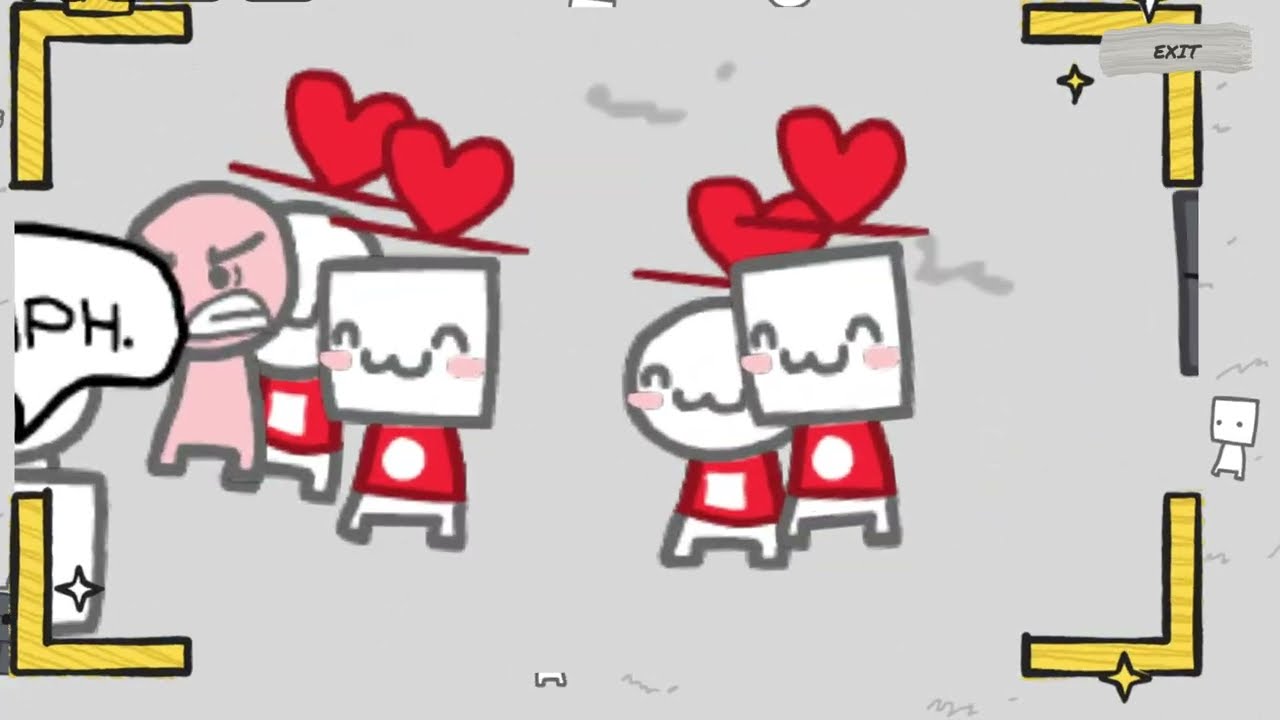
Central television displaying the breaking news broadcast showing an angry peep glaring at two lovers.
If you want wholesome crowd reactions instead, select the smile power and tap any bystander. The peep turns cheerful and speaks playful dialogue like “cheese!” or “is this for TV?”, making them ideal framing targets for positive news clips.
Arming Characters and Cleaning Up the Park
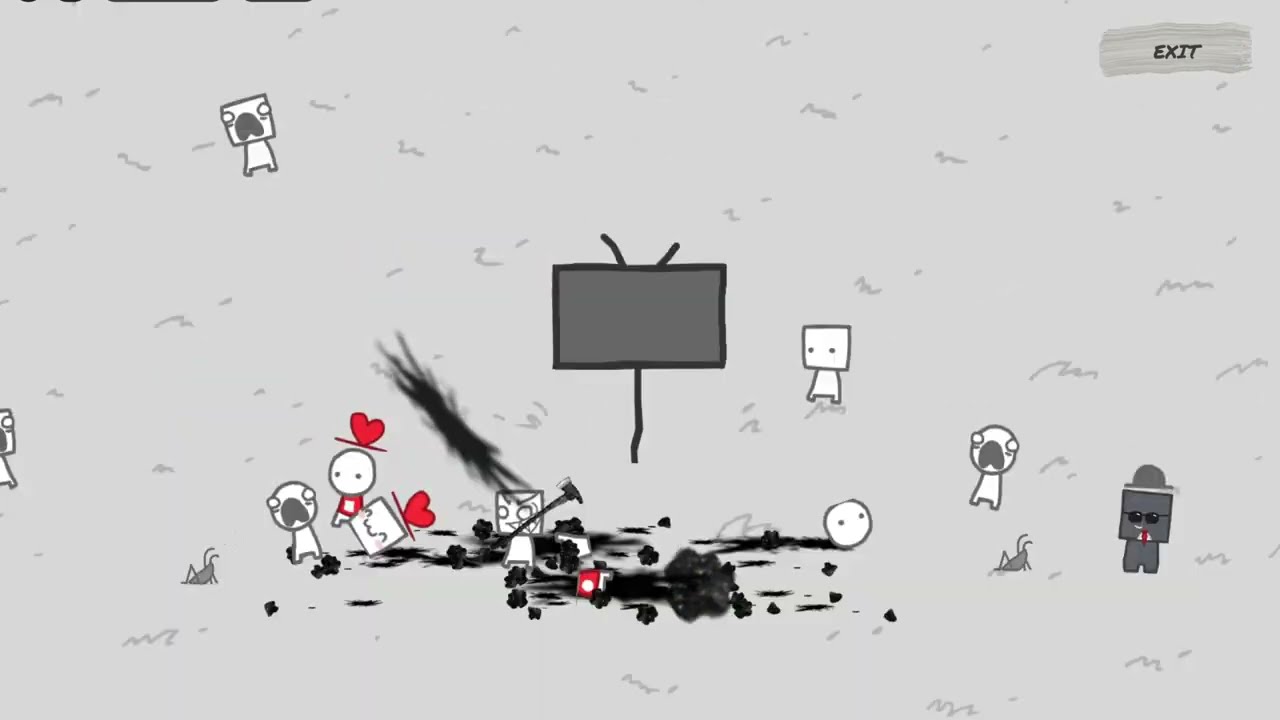
Opening the weapon power tray lets you hand out lethal tools including a pistol, an axe, a chainsaw, or a meat cleaver. Tapping a peep while holding a weapon places it directly into their hands, instantly triggering aggressive behavior toward nearby civilians.
A square peep holding an axe mid-swing, scattering dark ink stains across the grassy ground.
Armed peeps immediately attack anyone nearby, leaving pools of black ink and fallen bodies across the park. If chaos escalates too far, you can slow down time with the snail button or pick the lightning smite icon to disintegrate rogue attackers before they clear out your entire population.
Fallen bodies and ink splatters remain permanently on the grass unless manually cleared. Select the sponge clean tool and tap the ground repeatedly to wash away ink splodges and reset the turf back to pristine white.
Staging Headlines and the Recursive TV Secret
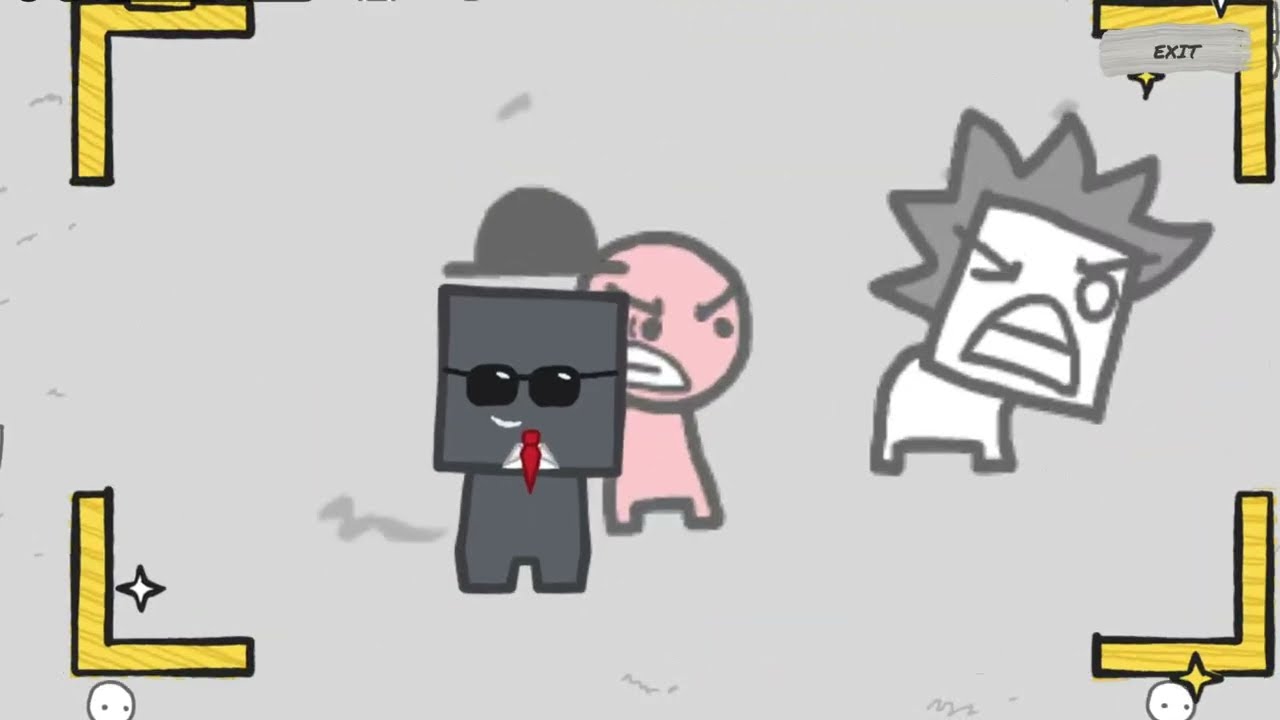
Every major event broadcast from the main story can be recreated at your own pace in God Mode. Framing specific combinations—such as a screaming square next to a suit for “EVERYONE PANICS” or a spiked square attacking for “CRAZED SQUARE ATTACKS”—updates the monitor with the corresponding breaking news graphic.
Snapped photograph frame showing an armed peep grinning aggressively while aiming a handgun.
The mode also lets you trigger recursive screen captures when the field is completely empty. After eliminating or scaring away all civilians, wipe the turf clean using the sponge tool and switch back to daytime lighting.
Point your camera brackets squarely at the central television while it displays an active broadcast banner. Snapping a photo of the monitor itself displays the special headline “# A TV… ON TV!”, creating an infinite screen loop on the park’s broadcast tower.
